> ## Documentation Index
> Fetch the complete documentation index at: https://docs.arnio.co/llms.txt
> Use this file to discover all available pages before exploring further.
# Quickstart
> Here's how to get you up and running in just a few steps
This quickstart guide will walk you through the process of setting up your account to the Arnio Dashboard.
**Prerequisites**: Before you begin, make sure to check your email for the invite and complete onboarding.
## 🔐 Access Your Dashboard
Once you've completed the onboarding process, you should have received an email to login to the portal.
1. Visit [dashboard.arnio.co](http://dashboard.arnio.co)
2. Log in using your email or Google SSO.
3. Once inside, you'll land on your CRM dashboard
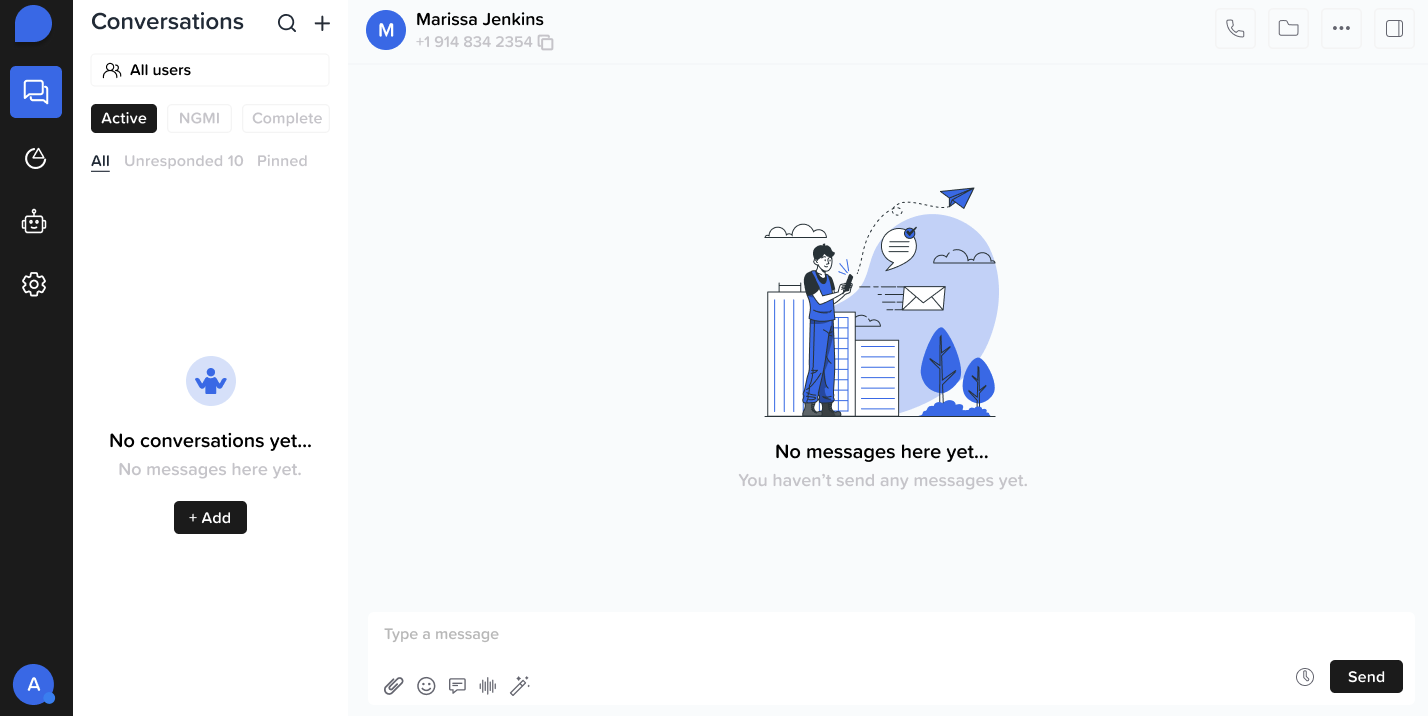 ### **💬 Start a Conversation**
1. Select an existing contact or create a new one.
2. Click **"New Conversation"** to open a chat thread.
3. Start messaging leads directly via iMessage.
### **💬 Start a Conversation**
1. Select an existing contact or create a new one.
2. Click **"New Conversation"** to open a chat thread.
3. Start messaging leads directly via iMessage.
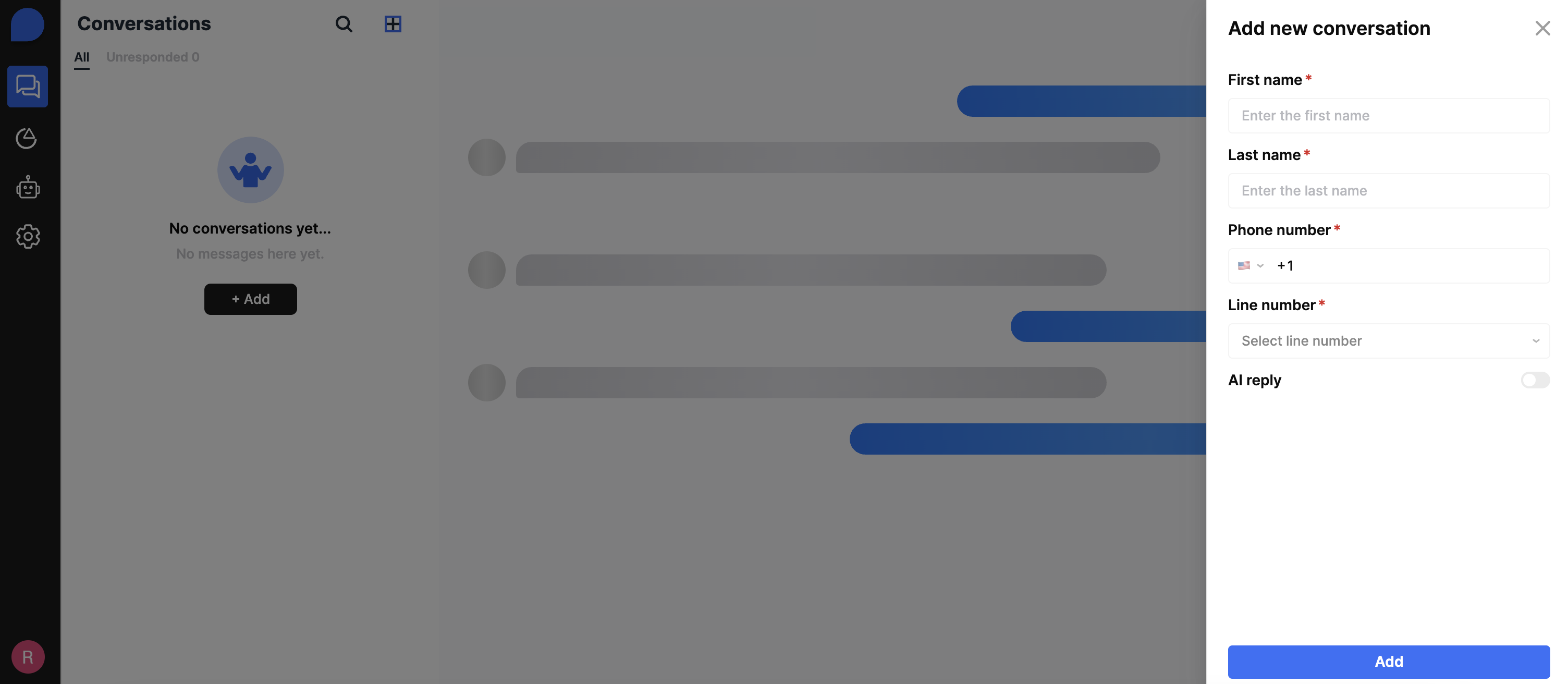 The AI reply feature will automatically be toggle on, so if you don't want to use AI then disable the feature.
### 📊 Track Usage Limits
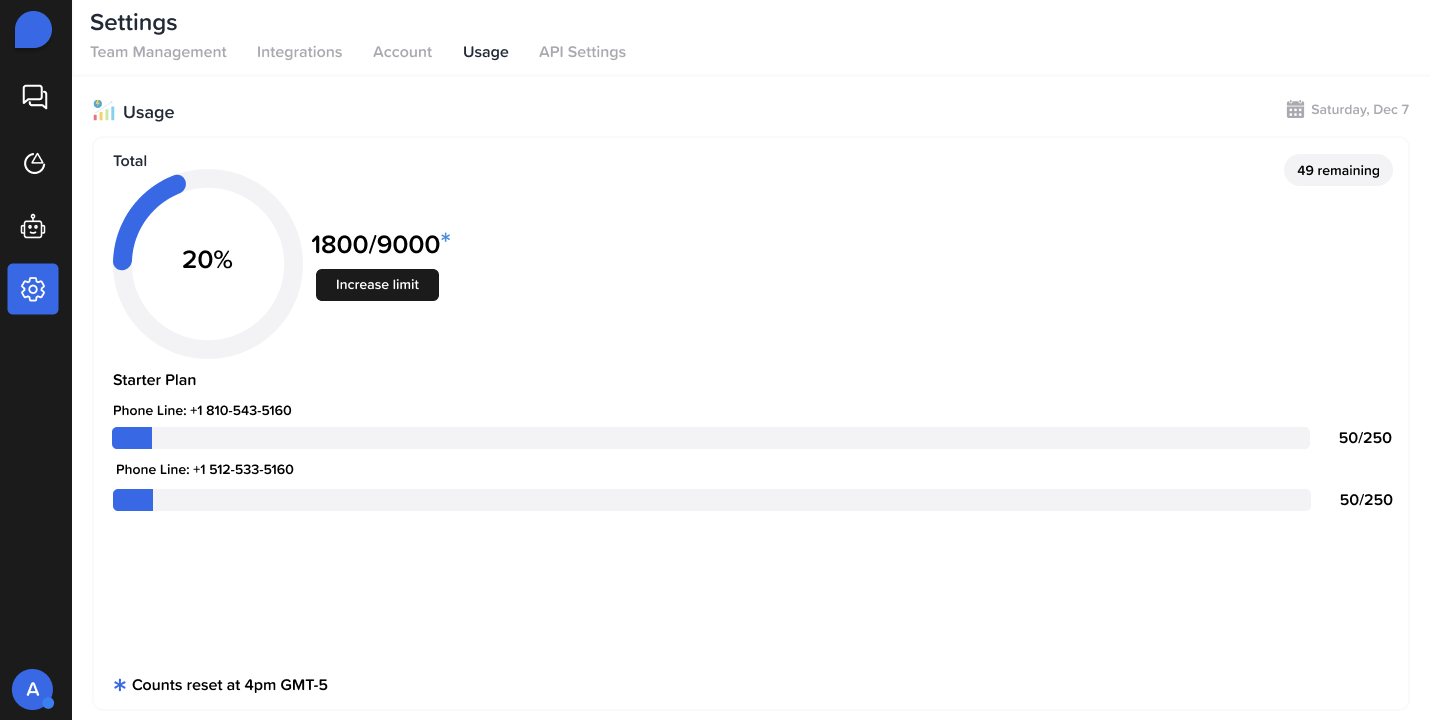
1. **Daily Message Limits**
* View usage in the top-right banner of your dashboard
2. **Monthly Contact Quota**
* Navigate to Billing or Usage Analytics for a full breakdown
3. Make sure to include:
* **📞 Phone number**
* **🙍♂️ Contact name**
The AI reply feature will automatically be toggle on, so if you don't want to use AI then disable the feature.
### 📊 Track Usage Limits
1. **Daily Message Limits**
* View usage in the top-right banner of your dashboard
2. **Monthly Contact Quota**
* Navigate to Billing or Usage Analytics for a full breakdown
3. Make sure to include:
* **📞 Phone number**
* **🙍♂️ Contact name**
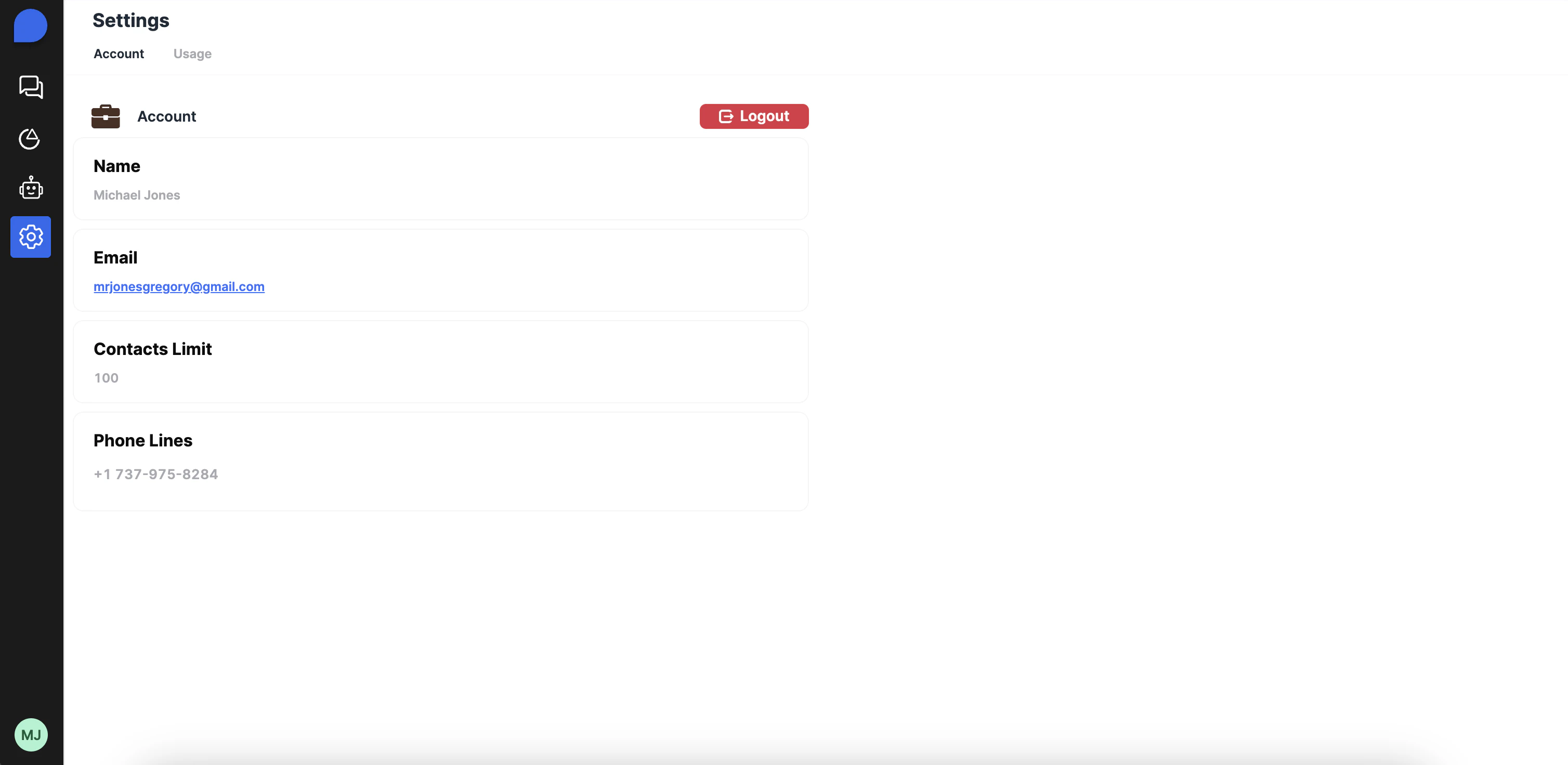
 ### 📲 **Check Your Phone Line**
* Go to **Settings → Phone Lines**
* See which phone number is currently assigned to your account
* [Contact us](mailto:hello@arnio.co) if you need to add or change your line
### 📲 **Check Your Phone Line**
* Go to **Settings → Phone Lines**
* See which phone number is currently assigned to your account
* [Contact us](mailto:hello@arnio.co) if you need to add or change your line
 ## **Next Steps**
Congratulations! You've successfully setup your account with Arnio. If you encounter any issues during the setup process, Need more help? [Contact our Support Team](mailto:hello@arnio.co).
## **Next Steps**
Congratulations! You've successfully setup your account with Arnio. If you encounter any issues during the setup process, Need more help? [Contact our Support Team](mailto:hello@arnio.co).